Martech stack: the five layers and how to choose each tool
Updated: October 2026. Merged my three posts on the martech stack into this one and removed market figures that had no primary source.
A martech stack is the set of tools that collect, unify, analyze and act on customer data, and its value depends on how data moves between those tools rather than on how many you own. The decisions that matter are which architecture fits your stage, which data flows must work without manual steps, and who is accountable for the whole.
This post walks through the five layers, the architecture choices, how to evaluate a vendor, and the traps that turn a stack into shelfware.
The five layers, defined by the job they do
Group tools by the job they do, not by vendor or by the team that bought them. Every stack, small or large, has to cover five jobs:
| Layer | Job | Typical tools |
|---|---|---|
| 1. Data collection | Capture behavior and transactions from every touchpoint | Tag manager, web and app analytics, event streaming, server-side tagging |
| 2. Identity and unification | Join events from the same person into one profile | CRM, customer data platform (CDP), data warehouse |
| 3. Analytics and measurement | Explain what happened and what drove it | BI tools, product analytics, attribution, marketing mix modeling (MMM) |
| 4. Activation and orchestration | Act on the data across channels | Email and marketing automation, ad platforms, CMS, personalization |
| 5. Governance and observability | Keep data accurate, consented and documented | Consent management, tracking plan, data quality monitoring |
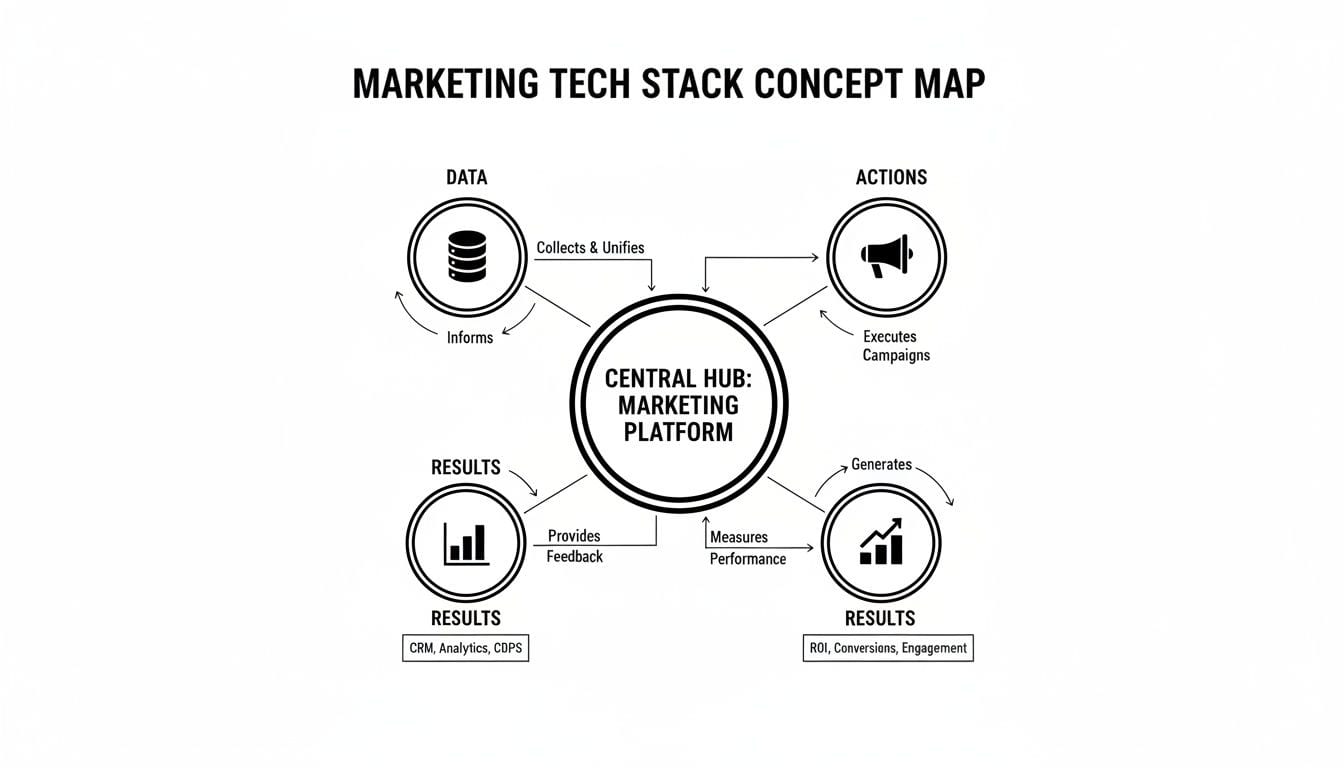
The layers depend on each other in order. A gap in collection becomes a blind spot in every report; a weak identity layer means each channel optimizes for a different version of the customer.
The fifth layer is the one most stacks skip. Without it, a broken tag after a site release can go unnoticed for weeks while dashboards keep showing plausible numbers, and campaigns keep optimizing toward wrong conversions. I compare the tools for this job, grouped by how they work, in the tools to detect implementation errors in GA4.
Data flow matters more than tool count
A stack is different from a pile of tools in one way: the CRM knows what the email platform learned, the analytics tool knows which campaign brought the visitor, and nobody exports a CSV to connect them.
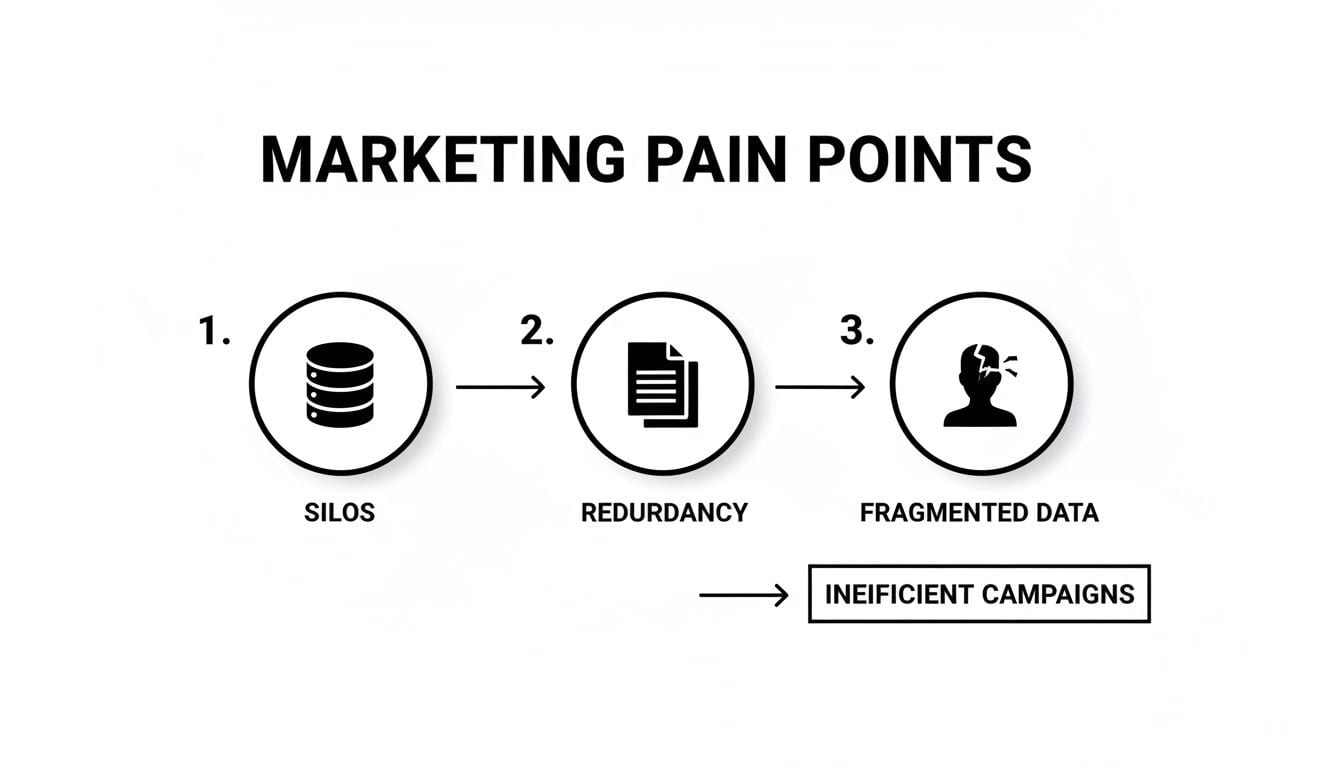
Without integration, the same problems show up in every company: sales calls a lead who unsubscribed yesterday, email keeps promoting a product the customer already bought, and each team reports a different conversion number.
Integration methods and when to use each
| Method | Setup effort | Flexibility | Use it for |
|---|---|---|---|
| Native integration | Low | Limited to what the vendor built | Standard connections between common tools |
| API connection | Medium | High | Custom workflows and data the native connector skips |
| Webhook | Low for simple triggers | Event-based only | Real-time alerts and actions |
| ETL or reverse ETL | High | Handles large volumes | Loading into and out of the warehouse |
| Middleware or CDP | Medium to high | Central control over many tools | Distributing one profile to many destinations |
Map the critical flows before you buy
You don't need to connect everything to everything. Write down the few flows the business depends on, for example:
- form submissions into the CRM, with the campaign that generated them;
- email engagement back into the CRM;
- purchases and key events from analytics into the ad platforms and the CRM;
- consent status from the consent tool to every destination.
Then check which of those flows run today without manual work. The gaps are your integration priorities, and they should shape the next purchase more than any feature list. A marketing data strategy is where those flows get written down and owned.
Choose the architecture that fits your stage
There is no best stack, only one that fits your size, your technical capacity and your goals. A startup with an enterprise stack spends its time on integration instead of customers; an enterprise on a startup toolkit cannot personalize or measure at scale.
| Lean stack | Growth-stage B2B stack | Enterprise B2C stack | |
|---|---|---|---|
| Goal | Acquire customers and validate channels | Generate and convert leads, align with sales | Personalize across channels at scale |
| Center of the stack | Web analytics, a light CRM, an email tool | CRM plus marketing automation | Customer data platform and data warehouse |
| Complexity | Low | Medium: deep CRM integration | High: many integrated systems |
| Cost | Low, often free tiers | Moderate software investment | High licensing and talent cost |
| Main risk | Silos once the business grows | Bad data between MQL and SQL handoff | One quality issue spreading to dozens of tools |
Lean. GA4 with a tag manager, a light CRM and an email tool cover the basics. The team can run it without a data engineer. The tradeoff appears with growth: disconnected tools become silos.
Growth-stage B2B. The CRM becomes the source of truth for marketing and sales. Marketing automation handles lead scoring and nurturing, and analytics shifts to pipeline velocity and revenue influenced. The integration between automation and CRM is what makes or breaks this stage.
Enterprise B2C. A CDP or the warehouse sits at the center, pulling web, app, point-of-sale and support data into profiles and sending them to personalization, campaign and analytics tools. Governance and observability are a requirement here, because one broken event reaches many systems. My guide on marketing data platforms and architecture patterns goes deeper into this setup.
Integrated suite or composable stack
| Factor | Integrated suite | Composable stack |
|---|---|---|
| Flexibility | Lower: you live inside one vendor's roadmap | Higher: you can replace one tool at a time |
| Integration | Pre-integrated, less setup | You build and maintain the connections |
| Functionality | Broad, rarely the best at each job | Best tool for each job |
| Cost | Bundled pricing, extra cost for premium modules | More subscriptions plus integration overhead |
| Vendor management | One contract | Many contracts and renewals |
| Fits | Teams with limited technical resources | Teams with engineers and specific needs |
A suite gets you live faster. A composable stack gives more control but only pays off if you have the people to run it.
Where AI fits in the stack
Separate two things that vendors tend to blur:
- Workflow automation runs rules you wrote: if someone downloads a guide, send a follow-up three days later. It is predictable and only as good as the rule.
- AI-driven features predict or generate: lead and churn scores, predictive audiences, budget shifts between campaigns, draft copy and subject lines, anomaly detection in data.
AI is not a new layer; it is a capability inside existing layers. Judge an AI feature with the same criteria as any other: which job it does, which data it needs, and how you will measure whether it worked.
The prerequisite is clean, unified data. A churn model trained on duplicated events and broken identities produces confident, wrong predictions. Before buying AI features, check that your collection and identity layers deliver data that is accurate, tied to one profile and available when the model needs it.
Most teams get stuck between pilot and production. Pick one use case with a clear metric, make sure the data is ready, measure the effect, and only then scale.
How to evaluate a martech vendor
A demo shows features. Your evaluation has to show fit. Score every candidate against the same criteria:
Integration
Ask how the tool connects to the systems you already run. Look at the API documentation, the native connectors to your CRM, warehouse and ad platforms, and the limits on API calls. Weak integration creates the next silo.
Security and governance
Ask for certifications such as SOC 2 or ISO 27001, the data processing terms, where data is stored, and how granular the access permissions are. Check how the tool handles consent signals.
Total cost of ownership
The license is the visible part. Add:
- implementation and onboarding fees;
- training and the time your team spends learning the tool;
- engineering time to build and maintain integrations;
- usage-based fees for data volume, seats or API calls;
- the cost of migrating out if it doesn't work.
A tool that is cheap at the pilot can become expensive at full volume. Ask for pricing at the scale you expect in the second year.
Support, roadmap and fit
Ask how often the vendor ships, how customer feedback reaches the roadmap, and what support you get when something breaks. Ask for references from companies of your size and industry.
To formalize requirements before talking to vendors, a written brief helps. My guide on writing a request for proposal covers the structure.
Roll it out in phases
A phased rollout lets you catch problems while they are small and show results early.
- Audit the current state. List the tools, who uses each, what data flows between them and what they cost. You will find tools nobody uses and flows that depend on one person's spreadsheet.
- Write requirements as outcomes. "Improve personalization" is not a requirement. "Trigger a cart-recovery email from real-time behavior, with the campaign source in the CRM" is.
- Run a pilot with one team or one market. Fix integration problems before they reach everyone.
- Plan migration and training. Historical data, naming conventions and team habits decide whether the new tool gets used.
- Name a stack owner. One person accountable for utilization, data quality and the renewal calendar, so the stack doesn't degrade as priorities shift.
The traps that wreck a stack
Buying for a feature, not a problem
The demo shows something impressive, the team buys it, and six months later nobody uses it because it solved no business problem or couldn't connect to the CRM. Before any purchase, write down the problem, the metric that will show it is solved, and the integration it needs.
Creating new silos
One department buys a tool to fix its own problem, and its data never reaches the others. Each new tool should have its place in the critical flows decided before the contract, not after.
Ignoring data quality
Teams spend heavily on analytics and activation and nothing on the quality of the data going through them. Untrustworthy data costs twice: in wrong decisions, and in the time analysts spend reconciling numbers instead of analyzing them.
Unclear ownership
Marketing or IT alone cannot own the stack. Marketing owns the why: the use cases and the results the stack must deliver. IT and data own the how: implementation, security, integration and stability. The teams that make it work set up a cross-functional group with people from marketing, IT and analytics.
How to measure what the stack returns
Measure the return in three groups, and set the baseline before any change:
- Operational efficiency: time from idea to live campaign, campaigns or experiments per person, hours spent on manual exports and reconciliation.
- Marketing performance: acquisition cost, conversion rates by stage, customer lifetime value.
- Data confidence: how often teams report conflicting numbers, how long tracking errors go undetected, and whether leadership makes decisions on the dashboards or on gut feeling.
The third group is the hardest to quantify and often where the largest return is.
What to check this week
- List your tools and their owners. Mark the ones nobody has logged into in the last quarter.
- Write down your three most critical data flows and check whether each runs without a manual step.
- Find out how you would learn about a broken tag on your checkout page today: an alert, a weekly report, or a complaint from sales.