Server-side tracking: what it fixes and what it doesn't
Updated: October 2026. Rewritten. It no longer says Chrome is removing third-party cookies, because it isn't. It adds how server-side tagging works with Consent Mode, and it removes the data-loss and revenue figures that had no primary source.
Server-side tracking moves the work of sending data to analytics and ad platforms from the visitor's browser to a server you control. It is worth it when you need cleaner conversion data for ad platforms, control over what leaves your site, and fewer third-party scripts on the page. It does not make tracking legal without consent, and it does not recover data from people who said no.
This post covers what changes, what doesn't, how it fits with Consent Mode, what it costs, and how to migrate without breaking your reporting.
In client-side tracking, every vendor talks to the browser
In the classic setup, each tool loads its own script in the visitor's browser: the GA4 tag, the Meta pixel, the Google Ads tag, LinkedIn's Insight Tag. Each script reads what it can from the page and sends its own request to its own domain.
That model has three weaknesses that matter for a performance or analytics team:
- The browser decides what gets through. Safari's tracking prevention limits how long cookies created by JavaScript last, and blocks third-party cookies by default. Ad blockers block known tracking domains. Each of those means fewer conversions reach the platforms.
- You don't control what vendors collect. A third-party script can read whatever the page exposes. Removing a parameter means editing every tag.
- Every tag adds weight to the page. More scripts means more JavaScript to download and run.
What is not a reason: Chrome removing third-party cookies. Google announced in July 2024 that it would not deprecate them as planned, and in April 2025 that it would not launch a separate choice prompt either. Third-party cookies remain controlled by each user's Chrome settings. Any vendor pitch built on "the end of cookies in Chrome" is out of date.
In server-side tracking, the browser talks to you
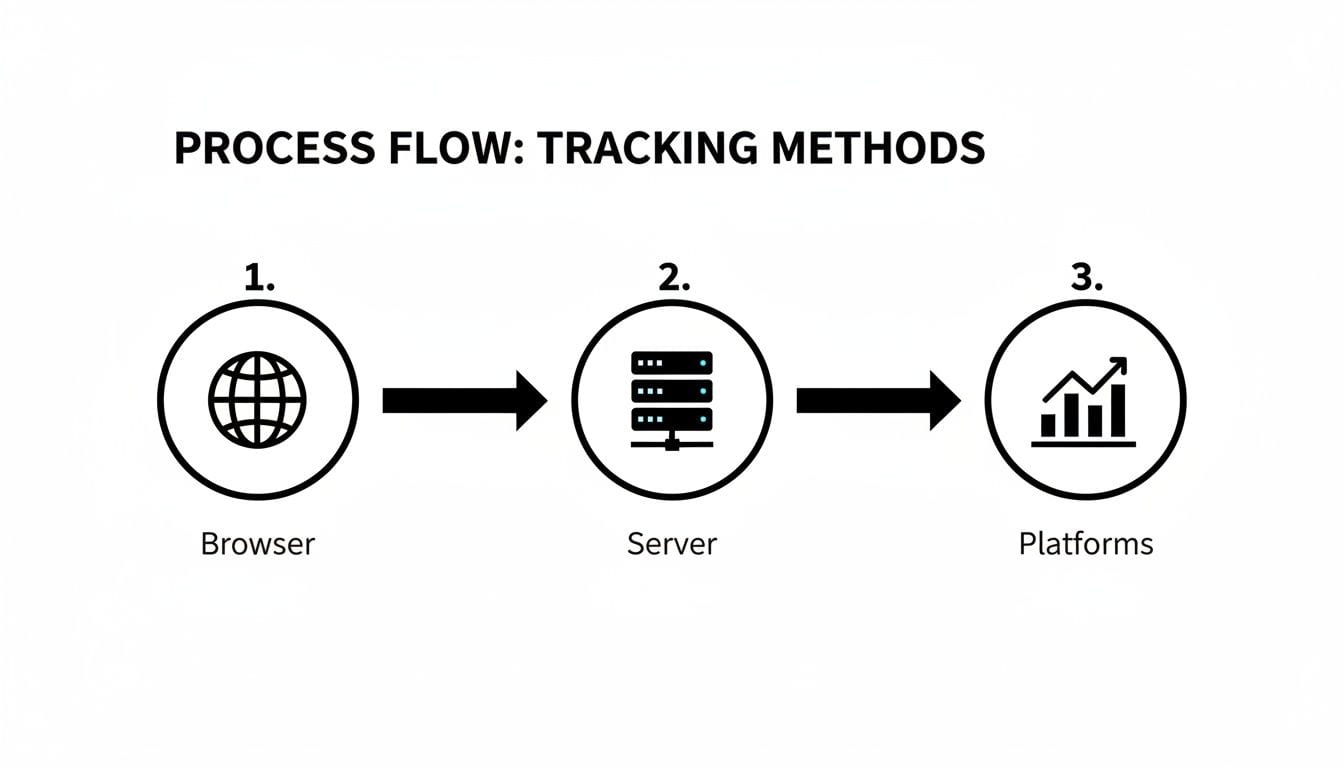
With server-side tagging, the browser sends one stream of events to an endpoint on your own subdomain, for example collect.yourdomain.com. A server container receives each event, transforms it, and forwards it to the platforms that need it: GA4, Google Ads, the Meta Conversions API, TikTok, your warehouse.
In server-side Google Tag Manager, the most common setup:
- The web container sends GA4-format requests to your tagging server instead of to Google.
- A client in the server container claims each request and turns it into an event.
- Server tags send that event to each destination, with only the fields you map.
You still need some JavaScript in the browser: something has to capture the click or the purchase. The difference is that one request leaves the page instead of one per vendor, and everything after that happens where you can see and change it.
What it actually fixes
Signal quality for ad platforms
Ad platforms optimize bidding on the conversions they receive. Server-side lets you send those conversions with better identifiers: hashed email for enhanced conversions or the Conversions API, the order ID, the real value. It also lets you deduplicate them with the browser events through a shared event ID. That improves the signal the algorithms bid on. How much it improves depends on your site, your audience and your consent rate: measure it, don't assume a number.
Control over what leaves your site
The server is a checkpoint. You can drop parameters before they reach a vendor, hash or remove personal data, and decide per destination which fields go. That is easier to document and audit than a dozen scripts each reading the page on its own.
Cookie lifetime, partly
Cookies set by your server in an HTTP response, on your own domain, avoid Safari's limits on cookies created by JavaScript. There is a catch: if your tracking subdomain points through a CNAME, or to an IP address, that WebKit treats as third party, it caps those cookies at seven days too. Where you host the tagging server matters.
Page weight
Fewer vendor scripts in the page means less JavaScript to run. The gain depends on how many tags you actually move server-side, since many vendors still need a browser script for some features.
What it doesn't fix
- Consent. Moving a tag to a server does not change what needs the user's consent. In the EU, the ePrivacy rules on storing or reading information on the user's device and the GDPR rules on processing personal data apply wherever the tag runs. Server-side is not a way around a consent banner.
- Ad blockers, completely. A first-party endpoint avoids blocklists of vendor domains. Blockers that recognize the loader script or the request pattern can still block it.
- Bad tracking design. If the data layer sends the wrong value or a duplicated purchase, the server forwards the wrong value or the duplicate. Server-side moves the data; it doesn't fix it.
- Attribution. Platforms still attribute with their own models. Server-side gives them better inputs, not the truth about incrementality.
How it works with Consent Mode
Consent Mode is how Google tags learn the user's choice from your consent management platform. It has four main signals: analytics_storage, ad_storage, ad_user_data and ad_personalization.
- Basic mode: Google tags don't load until the user consents. Nothing is sent before that.
- Advanced mode: tags load before the choice. If the user declines, they send cookieless pings without identifiers, which Google uses for conversion and behavioral modeling.
Server-side Tag Manager supports both modes.
- The Google tag in the web container adds the consent state to each request it sends to your server.
- The GA4 client in the server container reads it.
- Google's own server tags are consent-aware: they adjust what they send and whether they set cookies.
Two consequences matter in practice:
- Google's documentation only promises this for Google tags. If you forward events to Meta, TikTok or LinkedIn from the server, check whether each tag template reads the consent state. If it doesn't, add triggers or conditions that respect it. Otherwise the server sends what the browser would not have.
- Regional settings have to match. If the web container applies different defaults by region in advanced mode, the server container has to be configured to honor them too.
To check that consent travels, see how to verify Consent Mode v2 works.
Three ways to implement it
| Path | Fits | Effort | Cost model |
|---|---|---|---|
| Server-side GTM on Google Cloud | Teams already running GTM, with someone who can manage a cloud project | Medium: Cloud Run, domains, monitoring | Usage-based. Google's Cloud Run guide estimates about $45 per server per month (October 2026) and recommends at least two for production, before network egress. |
| Managed sGTM hosting | Teams that want sGTM without running the infrastructure | Low | Subscription, by request volume |
| Custom collection pipeline | Companies with data engineering and their own event pipeline, often into the warehouse | High | Internal engineering and infrastructure |
Before choosing, check which destinations you need. A destination without a server-side integration still needs its browser tag, and then part of the benefit disappears.
Migrating without losing your reporting
- Inventory the current tags. Every tag, what it sends, who uses it. A GTM audit is the starting point.
- Fix the data layer first. Event names, parameters and the purchase event must be right before they move. See how to inspect the browser data layer.
- Set up the server on your own subdomain and check how it resolves, so Safari doesn't treat it as third party.
- Move one destination at a time, starting with GA4. Run it in parallel with the client-side tag, into a separate property or with an event ID to deduplicate.
- Compare for two to four weeks: event counts, conversions and revenue, by browser and by consent state. Expect differences, and explain them before you switch the old tag off.
- Pass consent to every server tag and test both choices, accept and decline, in each region you serve.
How you know it is working
- Requests leave the browser for your subdomain, not for the vendors' domains. Check it in the browser's network tab.
- Each destination receives each event once, with the same order ID and value as your order system.
- When a user declines, Google tags send only cookieless pings, and non-Google server tags send nothing.
- Conversions per order in each ad platform hold steady or improve against the parallel period, and the gap is explained by browser and consent state.
When it isn't worth it yet
- One or two destinations and low ad spend: the gain rarely covers the infrastructure and the maintenance.
- No one to own it: a tagging server is production infrastructure. Someone has to monitor it, update it and pay for it.
- Broken tracking: fix the data layer and the consent setup first. Moving broken data to a server makes it harder to see, not better.
What to check this week
- Search your decks and briefs for "the end of third-party cookies in Chrome" and replace it with what is actually changing for you: consent rates, Safari and blockers.
- List your destinations and mark which ones have a server-side integration. That list decides whether server-side is worth it.
- If you already run server-side, decline consent on your own site and check what each server tag still sends.