
Selecting from the best marketing analytics tools is the core of a successful marketing strategy. CMOs, MarTech managers, and analysts face a dizzying array of options, from all-in-one suites to specialized platforms for attribution, customer data platforms (CDPs), and product insights. A poor choice leads to messy data, inaccurate return on ad spend (ROAS), and missed opportunities. The right one unlocks a unified view of the customer journey, enabling precise measurement and confident decision-making.
This guide cuts through the noise. It provides an expert-evaluated roundup of the top platforms, categorized by their primary use case, from foundational web analytics like Google Analytics and Adobe Analytics to sophisticated data plumbing with tools like Segment. We move beyond generic feature lists to offer practical implementation advice, honest pros and cons, and a clear framework to help you select the right solution.
You will find a detailed analysis of each tool, including screenshots, direct links, and guidance on who it's best for. Whether you're a B2B demand generation team focused on ROI or a data architect designing a marketing data platform, this resource is built to help you compare your options effectively. We will cover everything from product analytics leaders like Mixpanel and Amplitude to comprehensive suites like HubSpot and Salesforce Marketing Cloud Intelligence. Our goal is to help you select, budget for, and integrate the right tools into your stack with confidence.
1. Google Analytics (GA4) + Analytics 360
As the de facto standard for web and app measurement, Google Analytics 4 (GA4) serves as the foundational layer for many marketing analytics stacks. Its strength lies in its deep, native integrations with the entire Google Marketing Platform, including Google Ads, DV360, and Search Console. This makes it an indispensable tool for teams focused on measuring paid media ROI and understanding user acquisition from Google’s ecosystem.
The platform is accessible through a powerful free tier (GA4), with a clear upgrade path to Analytics 360 for enterprises requiring higher data limits, advanced governance features like sub-properties, and a direct BigQuery export. This scalability allows organizations to start small and expand their analytics capabilities as they grow. The transition to an event-based data model in GA4 from Universal Analytics presents a learning curve, but it offers more flexible and user-centric tracking.
Use Case & Implementation
- Best For: Teams heavily invested in the Google Ads ecosystem seeking unified ROI reporting and audience activation.
- Implementation Tip: For more accurate data collection and to mitigate the impact of ad blockers, teams should explore implementing GA4 via a server-side container. You can find detailed guides on what is server-side tracking and how it works.
- Pricing: GA4 is free. Analytics 360 is enterprise-level and requires contacting sales for a custom quote, often starting in the high five to six figures annually.
Pros:
- Unparalleled integration with Google's advertising platforms.
- Free, robust version with a scalable enterprise option.
- Direct, unsampled data export to BigQuery for advanced analysis (Analytics 360 only).
Cons:
- The event-based model and new UI have a steep learning curve.
- Analytics 360 pricing is opaque and can be prohibitive for mid-market companies.
2. Adobe Analytics (including Customer Journey Analytics and Product Analytics)
As a cornerstone of the Adobe Experience Cloud, Adobe Analytics is an enterprise-grade solution designed for deep, customizable analysis of customer behavior. Its primary strength lies in its powerful Analysis Workspace, which offers virtually limitless segmentation and data-slicing capabilities. This makes it one of the best marketing analytics tools for mature organizations that need to move beyond standard reporting and into complex, ad-hoc data exploration.
The platform extends its core web analytics capabilities with add-ons like Customer Journey Analytics (CJA) and Product Analytics. CJA allows analysts to stitch together online and offline data sources (like CRM or call center data) to map and analyze the complete customer journey. This provides a holistic view that many standalone web analytics tools lack, enabling true cross-channel attribution and pathing analysis. The platform’s flexibility is a key differentiator, but it requires significant upfront investment in data governance and implementation expertise to unlock its full potential.
Use Case & Implementation
- Best For: Large enterprises with complex, multi-channel customer journeys and a strong investment in the Adobe Experience Cloud.
- Implementation Tip: A successful Adobe Analytics implementation hinges on a meticulously planned Solution Design Reference (SDR) document. This defines every variable (eVars, props, events) and ensures data taxonomy is consistent and scalable from day one.
- Pricing: Adobe Analytics uses a quote-based model based on server calls, features, and user seats, placing it firmly in the enterprise pricing tier.
Pros:
- Highly flexible and customizable data model with advanced segmentation.
- Powerful cross-channel analysis capabilities through Customer Journey Analytics.
- Deep, native integration with other Adobe Experience Cloud products like Target and Audience Manager.
Cons:
- Requires significant upfront expertise for implementation and taxonomy design.
- Pricing is complex and can be prohibitively expensive for non-enterprise companies.
3. Mixpanel
Mixpanel is a powerful, event-based product analytics tool that has become a staple for marketing and growth teams focused on user behavior. Its core strength lies in providing deep insights into how users engage with a product or website through features like funnels, retention analysis, and cohort reports. This makes it one of the best marketing analytics tools for businesses with a product-led growth (PLG) motion, where understanding user activation and feature adoption is directly tied to revenue.
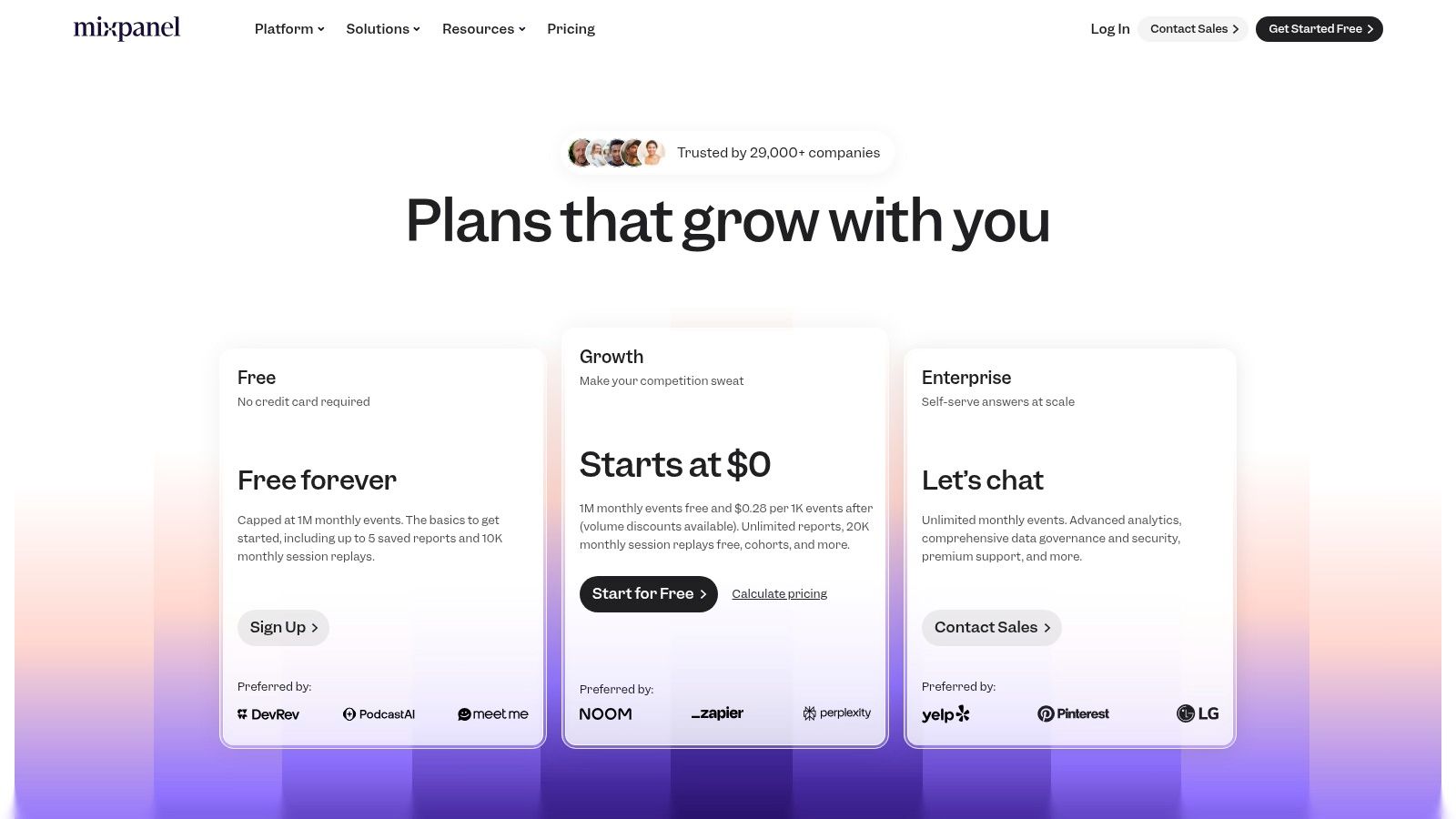
The platform is known for its user-friendly interface, self-serve setup, and transparent, usage-based pricing model. Teams can get started quickly with pre-built report templates and intuitive report builders, accelerating their time-to-value. While it excels at product-centric questions ("what are my most engaged users doing?"), its capabilities for top-of-funnel, multi-channel marketing attribution are less robust, often requiring integration with other platforms to get a complete customer journey view.
Use Case & Implementation
- Best For: Product-led growth companies, SaaS businesses, and mobile app developers who need to analyze user onboarding, feature adoption, and retention.
- Implementation Tip: Define a clear tracking plan (or taxonomy) before implementation. Deciding which events and properties to track upfront is crucial for avoiding messy data and ensuring your reports are meaningful.
- Pricing: Offers a generous free plan for up to 20 million events per month. Paid plans (Growth and Enterprise) are usage-based, primarily billed on the number of monthly tracked users. You can find details at mixpanel.com/pricing.
Pros:
- Excellent for deep user behavior analysis, including funnels, flows, and retention cohorts.
- Self-serve model with transparent pricing allows for quick adoption.
- User-friendly interface and report templates make it accessible to non-analysts.
Cons:
- Usage-based pricing can become expensive as your user base and event volume scale.
- Less suited for complex, multi-touch marketing attribution compared to dedicated platforms.
4. Amplitude
Amplitude has cemented its position as a leader in product analytics, but its capabilities extend deeply into marketing, making it one of the best marketing analytics tools for understanding the full customer journey. Its strength is in connecting marketing acquisition channels to in-product user behavior. This allows teams to measure not just which campaigns drive sign-ups, but which ones drive long-term retention and high-value actions. The platform combines analytics with experimentation and personalization features, creating a unified suite for growth.
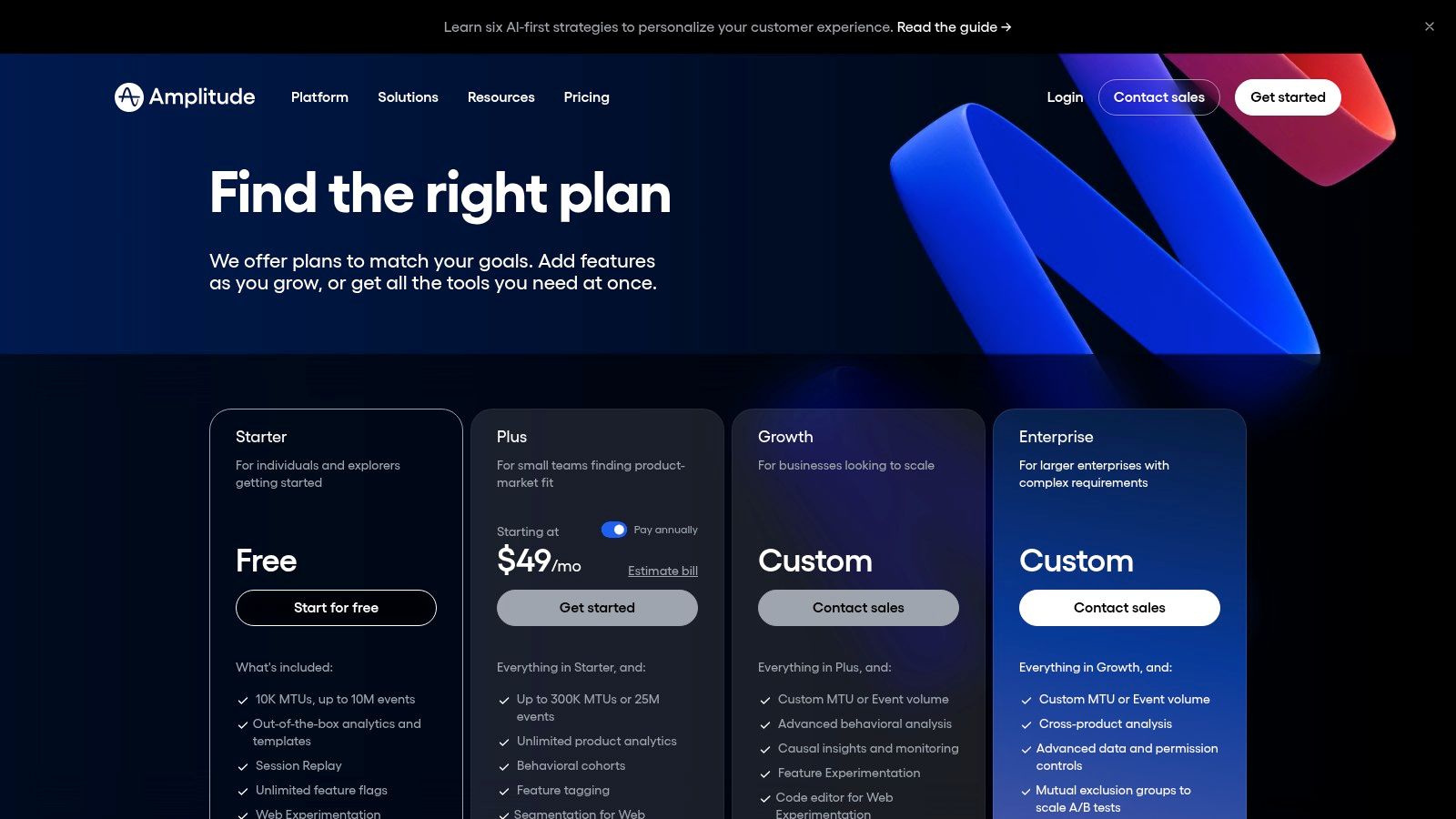
With a generous free tier and transparent pricing for its paid plans, Amplitude is accessible to startups while scaling to meet enterprise needs. It empowers marketing and product teams to collaborate by using the same underlying event data to build behavioral cohorts, analyze funnels, and measure the impact of new features or campaigns. This shared understanding is crucial for product-led growth (PLG) motions where the user's product experience is the primary driver of acquisition and retention. You can get a deeper understanding of the evolution of product analytics tools and their impact on marketing.
Use Case & Implementation
- Best For: Product-led growth (PLG) companies wanting to tie marketing acquisition directly to product engagement and long-term retention.
- Implementation Tip: Define a clear taxonomy and tracking plan before implementation. Consistent event naming across marketing and product is critical for creating accurate cross-functional funnels and cohorts.
- Pricing: Offers a robust free plan. Paid plans (Plus, Growth, Enterprise) are based on Monthly Tracked Users (MTUs) and offer transparent starting points on their website.
Pros:
- Robust free tier and transparent pricing for the initial paid plan.
- Strong experimentation and activation capabilities integrated into one platform.
- Excellent for building detailed behavioral cohorts for analysis and audience syndication.
Cons:
- Pricing scales with user volume (MTUs) and can grow quickly for B2C apps.
- Advanced governance and data management features are primarily available on higher-tier plans.
5. Heap
Heap positions itself as a "digital insights platform," distinguishing itself from traditional analytics tools with its powerful autocapture feature. Instead of requiring developers to manually tag every event, Heap automatically collects all user interactions, such as clicks, form submissions, and page views. This unique approach allows marketers and analysts to perform retroactive analysis, defining events and building funnels after the data has already been collected, drastically reducing implementation time and eliminating "tracking FOMO."
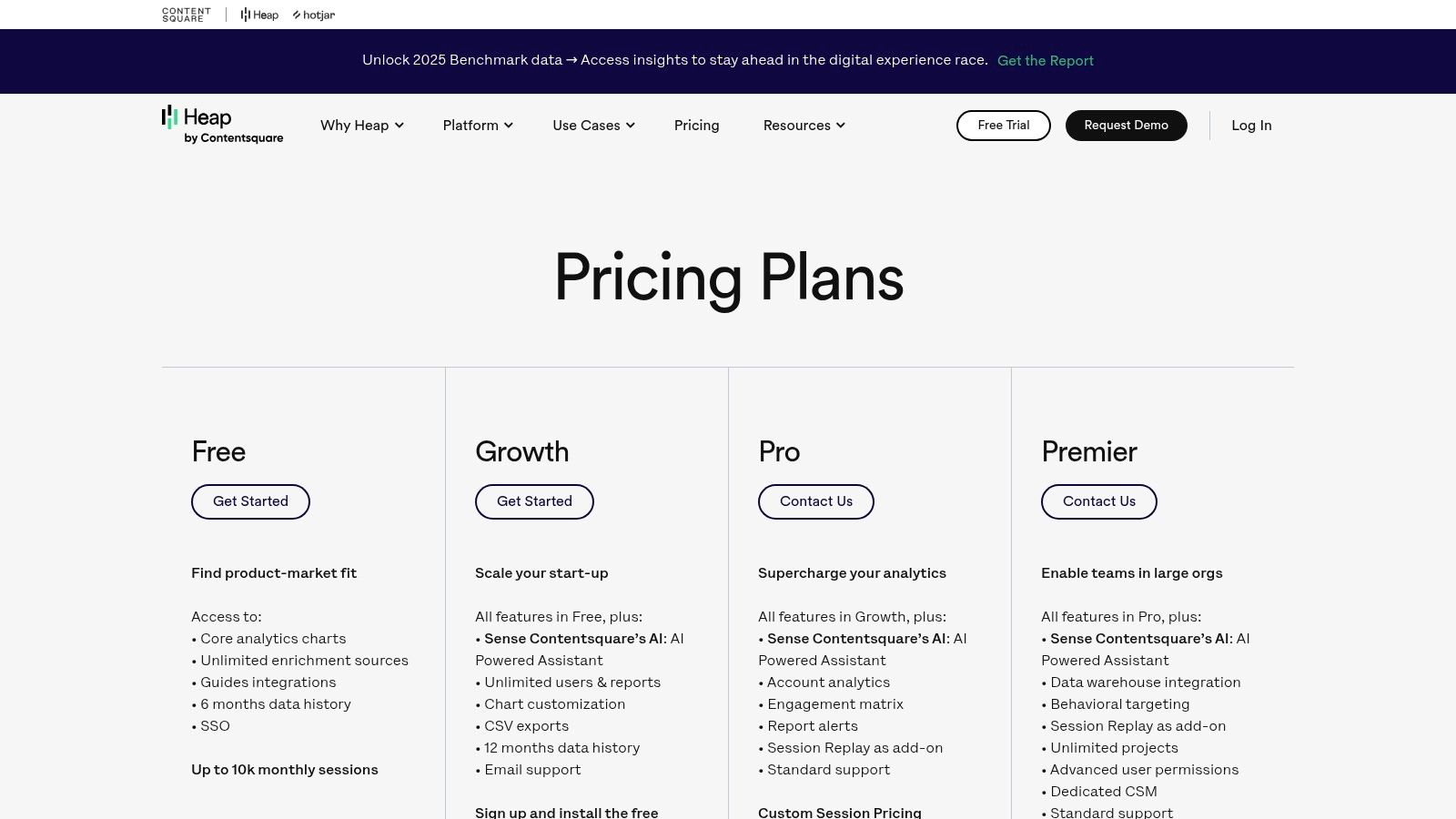
This comprehensive data collection makes Heap an excellent bridge between marketing acquisition and product usage insights. It’s particularly valuable for SaaS and e-commerce companies that need to understand the complete customer journey from first touchpoint to in-app conversion and retention. Features like integrated session replay provide qualitative context to quantitative data, while AI-driven features like Illuminate proactively surface friction points and opportunities.
Use Case & Implementation
- Best For: Product marketing and growth teams that need to quickly analyze user behavior and conversion funnels without waiting for developer resources.
- Implementation Tip: While autocapture is powerful, establish a clear data governance plan early on. Use Heap’s event definition and organization features to create a clean, shared understanding of key user actions to avoid a messy dataset over time.
- Pricing: Heap offers a free plan for up to 10,000 monthly sessions. Paid plans like Growth and Pro are session-based and require a custom quote. You can explore the tiers at https://www.heap.io/pricing.
Pros:
- Autocapture enables fast, retroactive analysis without manual tagging.
- Excellent for bridging the gap between marketing acquisition and product analytics.
- Integrated session replays provide crucial qualitative context.
Cons:
- Data history and advanced warehousing features are tied to higher-tier plans.
- Autocapture can lead to "data noise" if not governed properly.
6. Piwik PRO Analytics Suite
For organizations where data privacy and compliance are non-negotiable, Piwik PRO Analytics Suite offers a compelling alternative to mainstream platforms. It bundles analytics, a tag manager, a consent manager, and a customer data platform into a single, integrated suite. This positions it as one of the best marketing analytics tools for regulated industries like healthcare and finance, or for any company operating under strict GDPR, HIPAA, or CCPA guidelines.
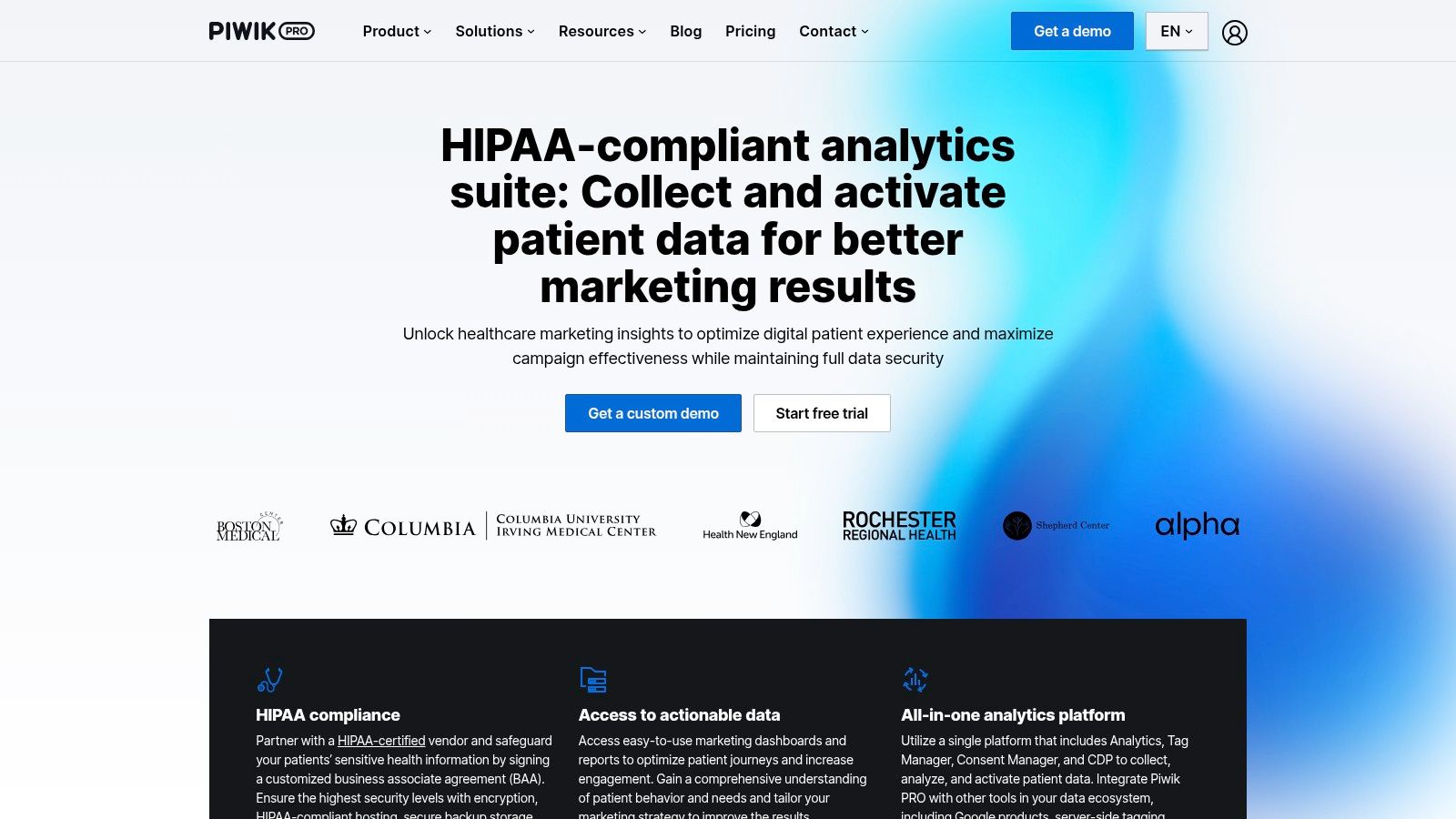
The platform's key differentiator is its privacy-by-design architecture, offering complete data ownership and control over hosting location, including private cloud and on-premises options. While it provides a user interface that feels familiar to those coming from Universal Analytics, it is built for the modern, privacy-first web. This makes the transition smoother while ensuring adherence to legal requirements and respecting user consent.
Use Case & Implementation
- Best For: Privacy-conscious organizations in regulated sectors needing full data ownership and compliance with GDPR or HIPAA.
- Implementation Tip: Leverage the built-in Consent Manager to ensure your tag firing rules automatically respect user preferences, simplifying compliance and reducing the risk of data leakage.
- Pricing: A paid Business plan is required for full features, with pricing available via an online calculator. The free Core plan is being phased out for new users.
Pros:
- Strong privacy and compliance posture with granular hosting control.
- Integrated suite (Analytics, Tag Manager, Consent Manager) simplifies the tech stack.
- Transparent entry-level pricing with a public calculator on their website.
Cons:
- The free Core plan is being sunset, requiring a paid upgrade for continued use.
- US data residency options are more limited compared to the default EU hosting.
7. HubSpot Marketing Hub (analytics + automation)
HubSpot Marketing Hub moves beyond a single-point solution to offer an all-in-one platform where CRM data and marketing analytics live side-by-side. Its core advantage is providing a unified view of the customer journey, from the first marketing touchpoint to the final sale, all within a marketer-friendly interface. This integration eliminates the common data silos between marketing, sales, and service teams, making it one of the best marketing analytics tools for organizations focused on revenue attribution.
The platform is built to scale, offering free tools for startups and graduating to powerful enterprise-level features like multi-touch revenue attribution and custom event reporting. By centralizing analytics for ads, email, web, and social media, HubSpot empowers teams to measure the direct impact of their campaigns on revenue without needing complex, multi-tool setups. Its extensive app marketplace and educational resources further lower the barrier to entry for teams building out their analytics capabilities.
Use Case & Implementation
- Best For: B2B marketing teams that need to connect campaign performance directly to CRM data and sales outcomes.
- Implementation Tip: Leverage custom properties and objects to tailor the CRM to your specific business model. This ensures your reporting accurately reflects your unique sales funnel and customer journey. Explore how HubSpot fits into a complete marketing technology stack.
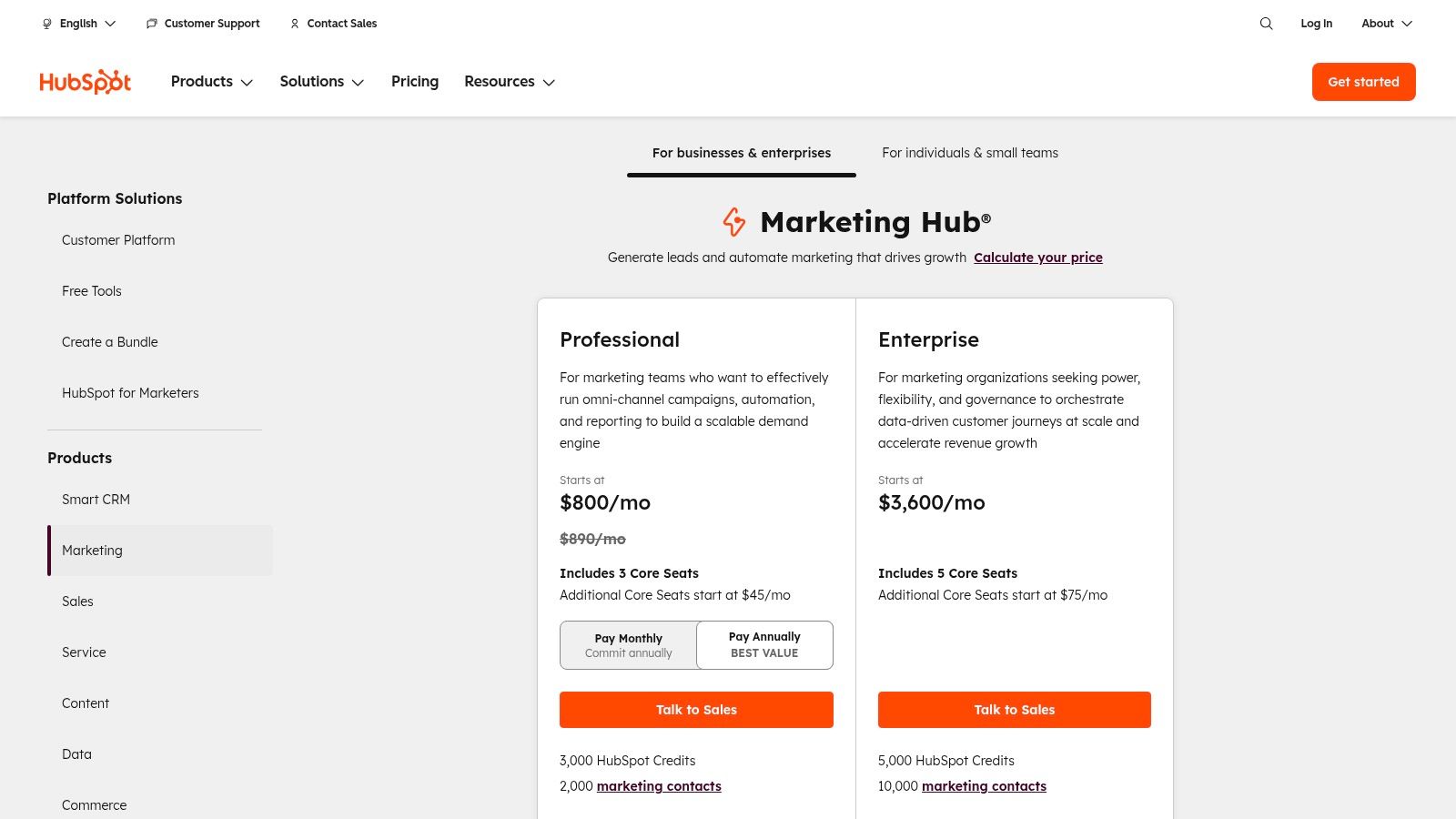
- Pricing: Starts with free tools. Paid plans range from the Starter tier (from $18/mo) to Professional (from $800/mo) and Enterprise (from $3,600/mo), with costs scaling based on contact tiers and features.
Pros:
- Tight CRM integration provides a single source of truth for marketing and sales data.
- Scalable pricing model accommodates businesses from startups to large enterprises.
- User-friendly interface simplifies complex reporting like revenue attribution.
Cons:
- Pricing can escalate quickly with contact-based tiers and required onboarding fees.
- The most powerful analytics and attribution features are gated behind the expensive Professional and Enterprise tiers.
8. Salesforce Marketing Cloud Intelligence (formerly Datorama)
For large enterprises deeply embedded in the Salesforce ecosystem, Marketing Cloud Intelligence (formerly Datorama) offers a powerful, integrated solution for harmonizing complex marketing data. Its core strength is its vast library of API connectors and a marketing-specific data model, designed to ingest and standardize performance data from hundreds of media, CRM, and analytics platforms. This makes it a go-to for global brands managing diverse, multi-channel advertising campaigns.
The platform is purpose-built for creating unified dashboards and conducting sophisticated performance analysis, leveraging native Tableau visualizations and AI-powered insights from Agentforce. The Intelligence+ edition extends these capabilities with advanced attribution models and data clean rooms. This positions it as one of the best marketing analytics tools for organizations that need to connect disparate data points into a single source of truth for strategic decision-making and activation across the Salesforce suite.
Use Case & Implementation
- Best For: Enterprise marketing teams needing to unify cross-channel advertising data for performance dashboards and ROI analysis within the Salesforce ecosystem.
- Implementation Tip: Plan for a significant data mapping and harmonization phase. Engage stakeholders from each media platform early to ensure fields are correctly aligned with the platform’s semantic data model to maximize its value.
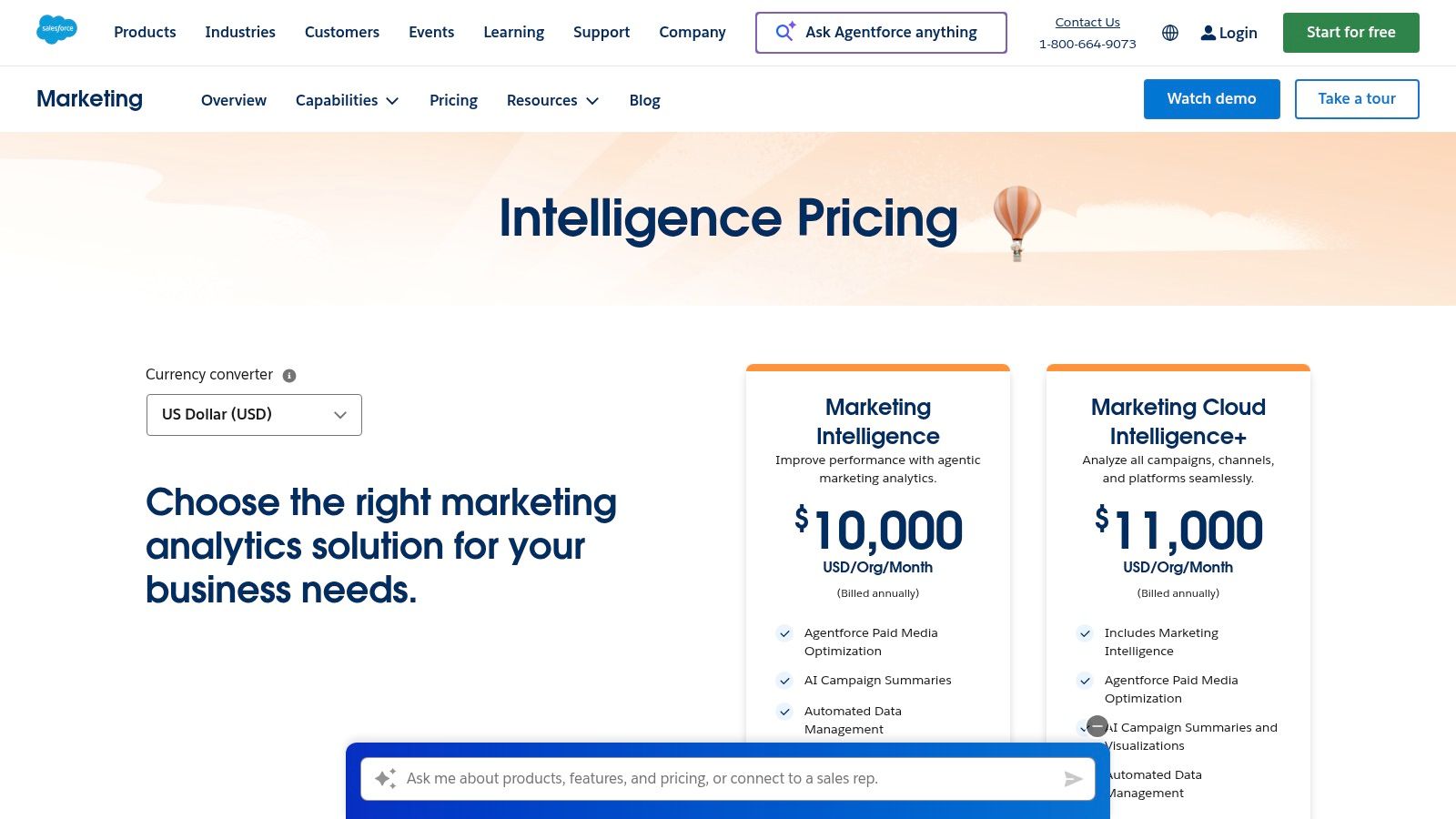
- Pricing: Published pricing starts at $4,000/org/month for the Intelligence edition and $12,500/org/month for Intelligence+. Access requires the appropriate Salesforce platform licenses and may involve additional costs for credits or features.
Pros:
- Extensive library of prebuilt connectors and a robust marketing data model.
- Deep enterprise data modeling and native activation across Salesforce products.
- Published package pricing for its core Intelligence editions provides some transparency.
Cons:
- Requires significant investment in the broader Salesforce platform.
- Positioned at an enterprise price point that may be inaccessible for many.
9. Twilio Segment (Connections)
While not an analytics tool itself, Twilio Segment serves as a critical data foundation, making it one of the best marketing analytics tools by proxy. As a leading customer data platform (CDP), its core function is to collect, clean, unify, and route customer data from all your sources (website, app, CRM) to hundreds of downstream marketing and analytics destinations. This ensures that every tool in your stack, from your warehouse to your email platform, receives consistent, high-quality data.
Segment’s "Connections" product effectively acts as the central nervous system for your marketing data. By implementing its tracking code once, you can then enable or disable integrations with a few clicks, dramatically reducing engineering dependencies. Features like Reverse ETL and warehouse destinations allow you to not only send data out but also sync enriched data from your warehouse back into your operational tools, closing the loop on the data lifecycle.
Use Case & Implementation
- Best For: Teams aiming to establish a single source of truth for customer data and streamline integrations across a complex MarTech stack.
- Implementation Tip: Start by creating a detailed tracking plan that defines your key user events and properties. This upfront governance prevents "garbage in, garbage out" scenarios and maximizes the value of the clean data sent to your analytics tools.
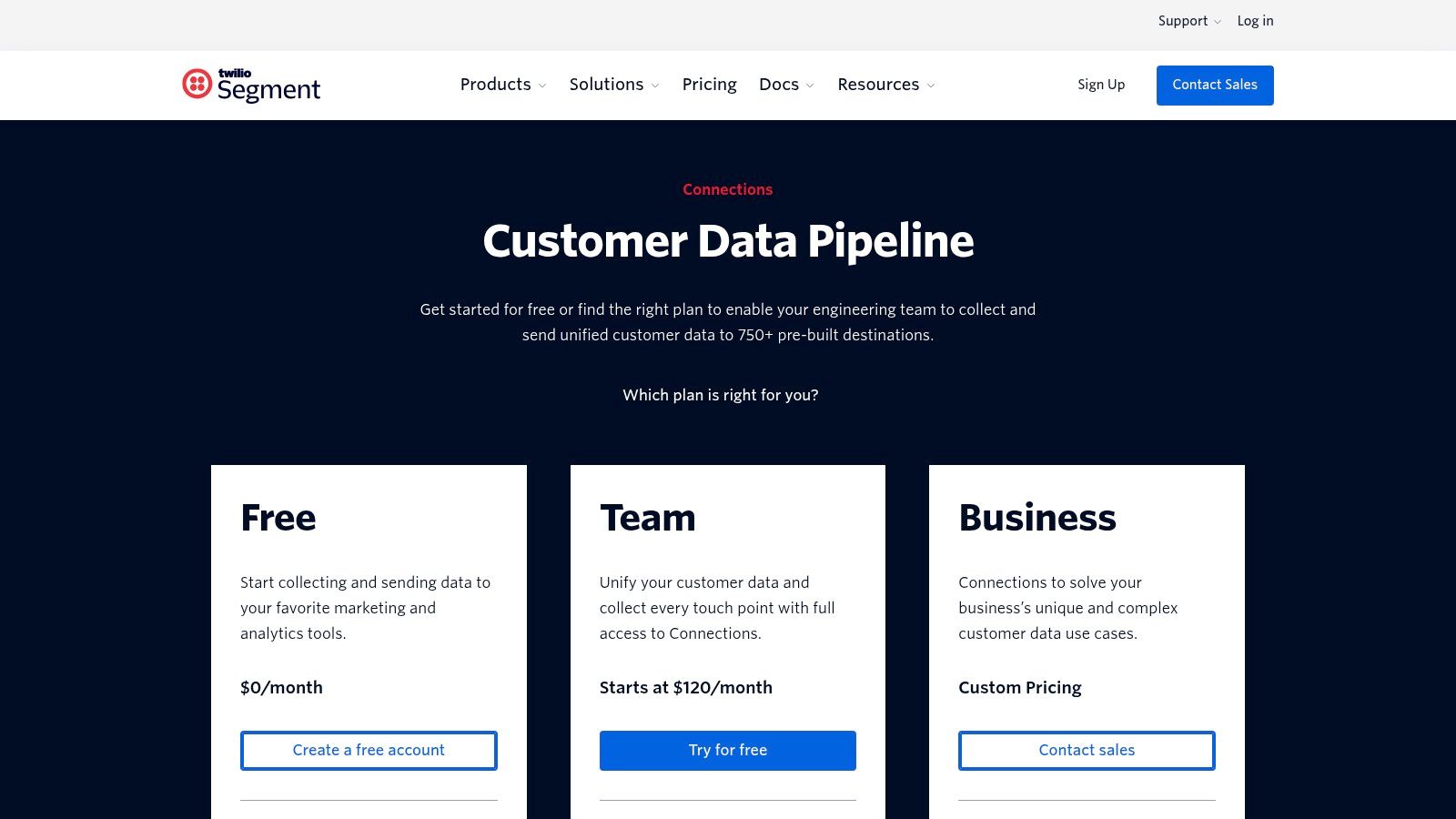
- Pricing: A generous free tier is available for up to 1,000 visitors/month. Paid "Team" and "Business" plans scale based on visitor volume and add-ons like advanced governance and Reverse ETL, with custom enterprise pricing.
Pros:
- Rapid time-to-value for building a clean, reliable marketing data pipeline.
- Flexible plans suitable for startups, mid-market, and enterprise customers.
- Extensive library of over 700 integrations simplifies MarTech stack management.
Cons:
- It's foundational infrastructure; you still need separate analytics or BI tools for analysis.
- Costs can escalate quickly as visitor/event volume and the number of add-ons increase.
10. Supermetrics
Supermetrics acts as a crucial data pipeline, solving the common marketing challenge of siloed channel data. Instead of manually exporting CSVs from dozens of platforms, it automates the process of pulling advertising, social, and analytics data directly into destinations where marketers work. Its strength is its simplicity and speed in consolidating performance data for unified reporting and ROAS analysis.
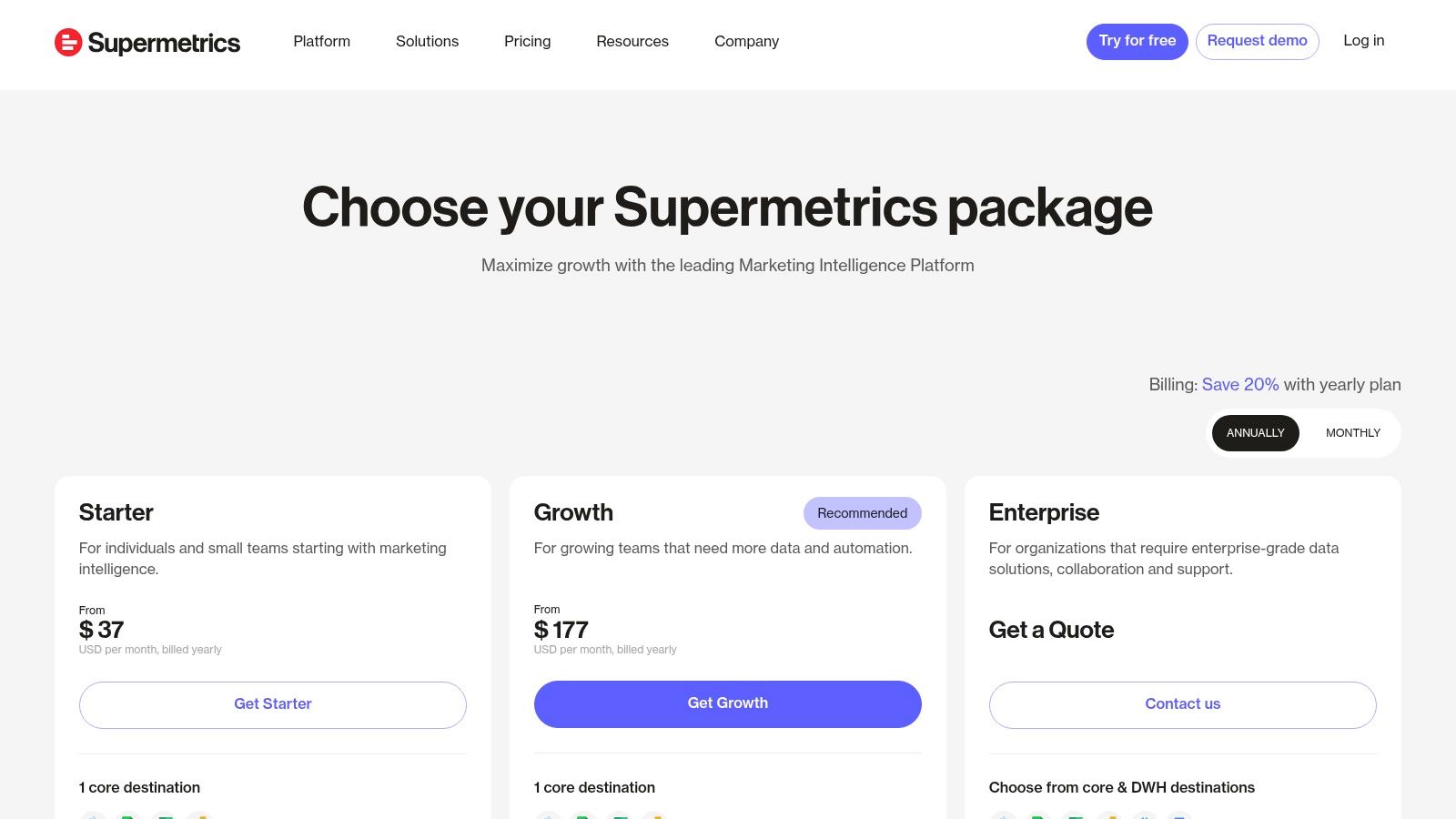
The platform offers a wide range of pre-built connectors to popular marketing sources, sending data to spreadsheets like Google Sheets, BI tools such as Looker Studio, or directly into a data warehouse. This flexibility makes it one of the best marketing analytics tools for teams that need to quickly stand up cross-channel dashboards without extensive engineering resources. The transparent, self-serve pricing model is also a significant advantage for teams needing to get started without a lengthy sales process.
Use Case & Implementation
- Best For: Marketing teams needing to automate the consolidation of paid media and social data for cross-channel performance reporting in spreadsheets or BI tools.
- Implementation Tip: Start with the Google Sheets or Looker Studio connector to quickly build and validate your cross-channel reports. Once the logic and metrics are proven, you can upgrade to a data warehouse destination for more scalable and robust analysis.
- Pricing: Offers tiered, self-serve pricing based on the number of data sources, users, and destinations. Plans start around $19/month for single-connector use cases and scale up to custom enterprise packages. You can explore options on their pricing page.
Pros:
- Rapid deployment for consolidating channel reporting without engineering support.
- Transparent and self-serve pricing options allow teams to start small.
- Broad library of connectors to most major advertising and social platforms.
Cons:
- Complex data modeling and attribution logic still require downstream tools.
- Costs can escalate quickly as you add more connectors, users, and destinations.
11. G2 – Marketing Analytics Software Category
While not a tool itself, G2’s Marketing Analytics category is an indispensable research platform for any team evaluating new software. Its core value lies in aggregating verified user reviews, allowing you to validate vendor claims with real-world feedback from peers. The platform provides a comprehensive landscape view, helping you discover and shortlist the best marketing analytics tools based on satisfaction ratings, market presence, and specific feature sets.
The platform’s grid-based comparison views and detailed filtering options (by company size, industry, or required features) make it highly efficient for building an initial vendor shortlist. For marketing leaders and MarTech managers, this peer-driven data provides a crucial layer of due diligence, helping to de-risk the procurement process and identify potential implementation challenges before committing to a new solution.
Use Case & Implementation
- Best For: Marketing operations and leadership teams in the procurement phase, seeking peer validation and side-by-side vendor comparisons.
- Implementation Tip: Look beyond the overall rating. Read individual reviews from companies of a similar size and industry to yours, and pay close attention to recurring complaints about support, integration, or usability.
- Pricing: Free to browse and use for research. Vendors pay for enhanced profiles and lead-generation features.
Pros:
- Extensive breadth of product listings and fresh user sentiment.
- Powerful filtering and comparison views for efficient shortlist building.
- Verified reviews offer a layer of social proof and peer validation.
Cons:
- Sponsored placements can influence vendor visibility on category pages.
- The depth of technical detail in reviews and profiles can vary significantly.
12. Capterra – Marketing Analytics Software Category
While not a tool itself, Capterra's Marketing Analytics Software category is an indispensable resource for discovery and initial vendor vetting. It functions as a comprehensive directory, allowing marketing leaders and analysts to build a longlist of potential solutions based on specific needs. Its strength lies in the sheer breadth of its catalog and the structured, filterable data it provides on hundreds of products, making it a crucial first step in any tool selection process.
The platform aggregates user-generated reviews, vendor-supplied feature lists, and pricing models into a comparable format. This helps teams quickly understand the landscape of available tools, from niche attribution solutions to enterprise-level marketing clouds. By providing buyers' guides and transparent methodologies, Capterra empowers teams to conduct market scans efficiently before committing to demos or trials with specific vendors.
Use Case & Implementation
- Best For: Marketing operations and MarTech managers tasked with researching and shortlisting new marketing analytics tools for consideration.
- Implementation Tip: Use the extensive filtering options to narrow down the list by essential features like "attribution modeling" or "dashboard," then sort by user rating to surface popular, well-regarded platforms first. Cross-reference top contenders with other review sites to get a balanced view.
- Pricing: Free to use for research. Vendors pay for placement and lead generation.
Pros:
- Extremely broad coverage of the software market, from small tools to large platforms.
- Verified user reviews and filterable feature lists simplify initial comparisons.
- Helpful for understanding typical pricing models and deployment options across the category.
Cons:
- Sponsored listings can influence the order and visibility of tools, requiring careful evaluation.
- Reviews may lack the technical depth needed for assessing complex enterprise use cases.
Top 12 Marketing Analytics Tools — Side-by-Side Comparison
| Product | Core features | Target audience | Unique selling point | Pricing & cost considerations | Typical use / Value proposition |
|---|---|---|---|---|---|
| Google Analytics (GA4) + Analytics 360 | Event-based web & app measurement, BigQuery export, Google Ads/DV360 integrations, attribution workspace | Marketers & enterprises using Google stack; paid‑media teams | Deep native Google Ads + BigQuery integration; free → enterprise path | GA4 free; Analytics 360 enterprise (quote-based) | Centralized measurement, ROAS reporting, BigQuery analytics workflows |
| Adobe Analytics (incl. Customer Journey & Product Analytics) | Analysis Workspace, advanced segmentation, journey-level modeling, Experience Cloud integrations | Data-mature enterprises with complex cross‑channel journeys | Highly flexible data modeling and journey analysis | Quote-based pricing (server calls, features, seats) | Cross‑channel/journey analysis with enterprise governance |
| Mixpanel | Event funnels, retention, cohorts, session replay, self‑serve templates | Growth teams & product-led startups | Quick setup and strong cohorting for growth analytics | Usage-based by events; transparent self‑serve pricing | Fast product analytics and growth experimentation |
| Amplitude | Event analytics, behavioral cohorts, experimentation, feature flags, warehouse-native options | Product & growth teams focused on experimentation | Combines analytics + experimentation + activation; robust free tier | Free tier; pricing scales with MTUs/events (Plus/Growth/Enterprise) | Activation + experimentation with product analytics at scale |
| Heap | Auto-capture retroactive analytics, session replay, AI insights, 100+ integrations | Marketers and analysts wanting fast insights without heavy tagging | Auto-capture enabling retroactive queries and rapid insight | Tiered plans; some advanced features are add‑ons; data history varies | Rapid CRO/journey analysis with minimal implementation effort |
| Piwik PRO Analytics Suite | Analytics + Tag Manager + Consent Manager + Data Activation; EU hosting & raw data access | Regulated or privacy‑first teams (EU/public sector) | Strong privacy, compliance and data residency controls | Transparent pricing calculator; free Core being sunset → paid plans | Privacy-compliant analytics with long retention and governance |
| HubSpot Marketing Hub (analytics + automation) | Campaign automation, CRM reporting, multi‑touch attribution, ads/email/web analytics | SMB to mid‑market teams wanting CRM + marketing in one UI | Tight CRM integration and marketer‑friendly UX; education resources | Free → Enterprise; contact tiers and onboarding can raise cost | Unified revenue reporting, campaign automation, CRM-driven analytics |
| Salesforce Marketing Cloud Intelligence (Datorama) | Prebuilt connectors, data harmonization, marketing semantic model, Tableau visualizations | Enterprises in Salesforce ecosystem and large agencies | Enterprise-grade modeling and activation across Salesforce products | Published Intelligence editions; enterprise price point; possible add‑ons | Harmonize media data, enterprise dashboards, and attribution models |
| Twilio Segment (Connections) | CDP and data pipeline, 700+ integrations, warehouse destinations, Reverse ETL, governance | Engineering & analytics teams building clean data foundations | Broad integrations + governed customer data plumbing | Free tier; costs scale with events/visitors and add‑ons | Create unified, clean analytics inputs for downstream tools |
| Supermetrics | Prebuilt connectors to ads/social/analytics, destinations to Sheets/BI/warehouses, API access | Analysts & marketers consolidating channel reporting | Quick connector-driven consolidation with self‑serve setup | Transparent plans; cost increases with connectors/users/destinations | Consolidate channel data for ROAS reporting and dashboards |
| G2 – Marketing Analytics Software Category | Category pages, ratings, verified reviews, comparison grids and filters | Buyers researching and shortlisting marketing analytics vendors | Breadth of user reviews and peer validation for vendor evaluation | Free to use; sponsored placements can influence visibility | Rapid shortlist building and user‑sentiment validation |
| Capterra – Marketing Analytics Software Category | Large product directory, filters, buyer guides, verified reviews | Buyers conducting market scans and building longlists | Extensive catalog and buyer‑focused filters/paperwork | Free to use; sponsored listings affect ordering | Build longlists, compare pricing ranges, and find vendor trials |
Activating Your Data: From Tool Selection to True Insight
Navigating the landscape of the best marketing analytics tools can feel overwhelming. We've journeyed through a comprehensive list, from foundational platforms like Google Analytics and Adobe Analytics to specialized product insight engines like Amplitude and Heap. We've also explored data integration powerhouses such as Segment and Supermetrics. Yet, the most crucial takeaway isn't which tool has the most features, but which one aligns perfectly with your organization's unique data maturity, strategic objectives, and technical capabilities.
The right tool is a catalyst, not a magic solution. Its true power is only unlocked when it's integrated into a well-defined data strategy. Choosing a tool before defining your goals is like buying a high-performance engine without having a car to put it in. Your selection must be a direct reflection of the business questions you need to answer. Are you focused on top-of-funnel acquisition, complex multi-touch attribution, or deep product-led growth? The answer will guide you toward the right solution.
Key Takeaways and Your Next Steps
As you move from evaluation to implementation, keep these core principles at the forefront of your decision-making process. They serve as a compass to ensure your investment delivers tangible business value rather than just another dashboard.
-
Strategy Before Stack: Your MarTech stack should serve your marketing strategy, not dictate it. Begin by mapping your customer journey and identifying key measurement points. Then, select the tools that can most effectively capture and analyze the data at those critical junctures. For instance, a B2B SaaS company prioritizing user retention would benefit more from Mixpanel or Amplitude than a CPG brand focused purely on brand awareness metrics.
-
Implementation is a Project, Not a Task: Underestimating the implementation process is a common and costly mistake. It requires a cross-functional team of marketers, analysts, and engineers. Dedicate ample resources to planning your tracking schema, conducting rigorous quality assurance (QA), and documenting everything. A rushed implementation leads to "dirty data," which erodes trust and renders your shiny new tool useless.
-
Unify, Don't Silo: The goal of a modern analytics stack is to create a single, unified view of the customer. Tools like Twilio Segment are invaluable for this, acting as the central nervous system for your customer data. Without a plan for data unification, you'll end up with fragmented insights and disconnected teams, defeating the purpose of your investment.
-
Focus on Actionable Insights, Not Vanity Metrics: A successful analytics program is measured by the quality of decisions it enables, not the quantity of data it collects. Constantly ask "so what?" for every report and dashboard you build. The ultimate goal is to connect data points to strategic actions that drive growth, improve customer experience, and increase ROI.
Making the Final Decision
Choosing from the best marketing analytics tools is a significant commitment that will shape your team's capabilities for years to come. Don't base your decision solely on feature checklists from review sites like G2 or Capterra. Instead, use them as a starting point to create a shortlist, and then dive deep.
Engage in proof-of-concept (POC) trials with your top two or three contenders. Involve the end-users from your marketing and analytics teams in this process. Can they easily answer their most pressing questions with the tool? How steep is the learning curve? The platform that empowers your team to move from data to decision with the least friction is often the right choice. By carefully aligning your tool selection with your strategic needs and ensuring a meticulous implementation, you can build a data-driven culture that transforms marketing from a cost center into a predictable engine for business growth.
Ready to master the strategies behind the tools? At The data driven marketer, we provide in-depth courses and resources to help you build and execute a world-class analytics program. Go beyond the dashboard and learn how to turn data into a true competitive advantage by visiting The data driven marketer.